APC UPS Blog - ExcessUPS.com

  • Blog
  • Guides
  • Technical
  • Tips
  • Rants

What is an internally “Modular” Redundant UPS Configuration?

Businesses are starting to see the importance of ensuring their uninterruptible power supply devices have a back up to protect important information. As the use of N+1 configuration for a UPS system starts to increase, it is become important for businesses to select the best one suitable for their needs. Aside from the isolated redundant configuration and parallel redundant configuration, businesses also have the option to use an internally “modular” redundant configuration for their UPS system.

An internally modular redundant configuration or setup uses only one battery for all its UPS modules. If any of the modules fail to operate properly, the other modules will act as backup. This will ensure t3-apc-smart-ups-srt-5000va-with-208-240vhe equipment connected to the system will continue to receive power. This setup is the most basic type of N+1 UPS configuration. Aside from using just one battery, all of the UPS modules also share one output.

In this configuration, the load is shared by all of the modules up. The capacity of this set up can be increased with the addition of more modules. But, one major disadvantage of this configuration is the single battery it uses. If the battery fails to work, the system may not be able to provide the necessary power during an outage. The battery may not function properly once it reaches its shelf life.

An internally modular redundant configuration for a UPS system is an efficient way of protecting critical equipment of businesses. It can be easily configured to allow it to run close to its capacity. In this situation, a UPS system typically runs efficiently.
References:


http://www.schneider-electric.com/ww/en/download/document/APC_VAVR-A84MRT_EN?_downloadcenter_WAR_downloadcenterRFportlet_documentId=4015192344

http://www.apc.com/salestools/SADE-5TPL8X/SADE-5TPL8X_R3_EN.pdf

http://www.schneider-bgclub.com/catalog/1_Aparatura_NN/4.UPS/Katalozi/Design%20guide%20UPS.pdf

http://whatis.techtarget.com/definition/N1-UPS

http://searchdatacenter.techtarget.com/answer/Weighing-centralized-versus-modular-UPS-in-the-data-center

Filed Under: Tips Tagged With: Configuration, Internally Modular Configuration, ups

What is a Parallel Redundant N+1 UPS Configuration?

Whenever a power outage happens, an uninterruptible power supply (UPS) can be quite handy. They allow businesses to shut down their main computer servers during a power outage to save any important information. Since there may be instances when the UPS may not function properly, a backup system or an N+1 configuration is normally used to deal with these situations. The parallel redundant configuration is one of these N+1 configurations that these businesses may use.

2-apc-smart-ups-srt-5000va-rmThe parallel redundant configuration is made up of at least two UPS devices connected to the equipment. Power goes through the UPS devices before it reaches the equipment. Power going into the equipment goes through at least two different UPS devices. When the main power source goes out, the battery on the UPS provides power to the equipment.

If one of the UPS devices does not work properly, the backup UPS will provide the necessary power to the equipment. The backup UPS in this configuration is always ready in providing power to important equipment since its battery is always charged. This setup can be expanded easily as the power needs of the equipment increases. Setting up the system is also easy and cost-effective.

While this setup has a number of advantages over an isolated redundant configuration, it also has some disadvantages. One of these disadvantages is the need to use the same model and brand of UPS. The UPS devices are also connected at a single point to the power source and equipment. In this situation, if this single point fails, the whole system will fail.

It is important to select the most suitable redundant UPS configuration to ensure all important equipment are protected at all times in case of power outages.


References:

http://www.schneider-electric.com/ww/en/download/document/APC_VAVR-A84MRT_EN?_downloadcenter_WAR_downloadcenterRFportlet_documentId=4015192344

http://www.apc.com/salestools/SADE-5TPL8X/SADE-5TPL8X_R3_EN.pdf

http://www.schneider-bgclub.com/catalog/1_Aparatura_NN/4.UPS/Katalozi/Design%20guide%20UPS.pdf

Filed Under: Tips Tagged With: N+1 UPS, Parallel Redundant Configuration, ups

Updating The Firmware Of An APC Smart-UPS

The APC Smart-UPS SRT 10000 is an uninterruptible power supply (UPS) designed mainly for businesses. It allows businesses to protect critical information in case the main source of power goes out. But, it is important to make sure the firmware of the UPS and the Network Management Card (NMC) are updated regularly. A firmware is the software that is permanently programmed into the memory of the UPS.

If the firmware of the UPS is not updated, it may not function properly. Remember that each time the firmware is updated the UPS will be unavailable for a short period of time since the device will have to be restarted.

3-apc-smart-ups-srt-10000va-rmTo update the firmware of the UPS, verify the firmware version of the NMC and download the correct UPS Firmware Image. The UPS output should be turned off before the update is performed to prevent any permanent damage to the device. After the UPS output is turned off, the update can be performed by selecting the downloaded UPS Firmware Image and clicking on the “Update UPS” button. Once the update is completed, the UPS can be turned on again.

If you encounter any errors or the update is not completed, the update can be performed using the APC Firmware Upgrade Wizard. But, there are some devices that are not supported by the Firmware Upgrade Wizard. Due to this, always check the website of the manufacturer for the list of devices supported by the Firmware Upgrade Wizard.


References:

http://forums.apc.com/spaces/5/smart-ups-symmetra-lx-rm/forums/general/12809/smart-ups-srt-10000-turned-off-output-power

http://www.apc.com/uk/en/faqs/index?page=content&id=FA281753

http://www.apc.com/us/en/faqs/FA164737/

http://www.apc.com/shop/my/en/products/APC-Smart-UPS-SRT-10000VA-RM-230V/P-SRT10KRMXLI

Filed Under: Tips Tagged With: APC Firmware Upgrade Wizard, Firmware Update, Network Management Card, Smart-UPS SRT 10000

Changing The Settings Of An APC Smart UPS To Use Two Batteries

The APC Smart UPS can provide backup power for critical equipment like an unRAID Media Server. At full load, this uninterruptible power supply (UPS) can provide 11.7 minutes of backup power with an output voltage of 120 volts. While this is already sufficient for some users, others may want to increase the time the UPS can provide backup power. This can be done by changing the settings of the UPS to allow it to use two external battery packs.

There are two ways to do this:

2-apc-ap9630-network-management-card1. The PowerChute Business Edition can be used to make the necessary changes in the settings. It will be necessary to connect the UPS to a Windows-powered PC through a USB cable to use this UPS management software in changing the settings.

Once the UPS is connected to the PC, the Configuration menu of the PowerChute Business Edition should be accessed. Then the “UPS Operating Parameters” is selected. The appropriate number of external battery packs to use can be typed on the “External Battery Pack” field before clicking on “OK.”

2. Aside from using the PowerChute Business Edition, the settings on the number of battery packs to use can also be changed using a Network Management Card. The Network Management Card can monitor and manage the UPS. At ExcessUPS, brand new Network Management Cards have a warranty period of two years. On the other hand, refurbished Network Management Cards have a one-year warranty with the option to purchase a three-year warranty.

References:

http://www.apcmedia.com/salestools/ASTE-6Z5QEV/ASTE-6Z5QEV_R58_EN.pdf?sdirect=true

http://forums.apc.com/spaces/5/smart-ups-symmetra-lx-rm/forums/general/12814/help-with-adjusting-number-of-batteries

http://www.apc.com/us/en/faqs/FA156515/

http://www.apc.com/shop/us/en/categories/power/ups/ups-management/powerchute-business-edition/_/N-o29ysx

http://www.apc.com/us/en/faqs/FA284198/


Filed Under: Tips Tagged With: External Battery Pack, Network Management Card, PowerChute Business Edition

What To Do When The UPS Online Light Goes Off

Customers report the following problem:

The online light of the UPS turns off and automatically switches to battery power even when there is no power outage.  Similarly, when a cold start is performed, the online LED may blink before the “on battery” light comes on, which means the UPS is using battery power. When a self-test is performed the same thing happens. While the UPS may provide power, the power comes from the battery. Replacing the battery may have no effect since the issue may be with the UPS itself.

1-apc-smart-ups-c-1000va-lcdHere is our advice, based on APC forums:

The first thing to check is the power outlet where the UPS is connected. It may be a simple issue of the power outlet not working. But, if there are no issues with the power outlet, it will be necessary to check the input circuit breaker of the UPS. If it has been tripped, it should be reset by pushing it until it clicks. But, if the circuit breaker has not tripped, the power cord is the next thing to check. The issue may be caused by a loose or damaged power cable.

It is also recommended to consider the average lifespan of a UPS device, which is from five to seven years. When the device has reached the end of the lifespan, it may be necessary to replace it. There are some manufacturers offering Trade In programs for its customers, which give significant discounts when they trade in their old UPS units. This will allow users to save on the cost of acquiring a new UPS unit. Users can also check out a refurbished UPS, which may be cheaper than a brand new unit.

Filed Under: Tips Tagged With: Battery Power, UPS Issue, UPS Online Light

Dealing With A Battery Constant Issue

A battery constant on an uninterruptible power system (UPS) gives users the status of the life expectancy of the battery. When the battery life is already “exhausted“ or has reached the end of its serviceable life, the battery constant is overwritten. Due to this, it will be necessary to replace the battery. Once the battery is replaced, it is important to do a self-test to reset the battery constant to the standard setting.

2-apc-smart-ups-sc-620vaBut, there are instances when the battery constant is not reset properly. In this situation, a manual reset should be performed. To perform a manual reset, all loads connected to the UPS should be disconnected and the UPS turned off, with its power cord removed from the main power source. The UPS is then turned on again and connected to a PC capable of running a Hyper Terminal session. Do a battery constant check before the Hyper Terminal session is started. To check for a connection, press “Shift + Y” to get an “SM” value.

Do not to type in any other characters to prevent irreparable damage on the UPS. Once the SM value comes out, type the number “1” once and after two to three seconds, type “1” again. After this is done, the “PROG” indicator will come out allowing the battery constant to be changed. But, it is important to remove the network management card to make sure the monitor will show the “PROG” indicator.

To ensure the correct battery constant is encoded, get the white barcode sticker at the back of the UPS and get in touch with the manufacturer to verify the battery constant. Resetting the battery constant may also be necessary when the replacement battery does not provide an accurate runtime or does not last as long as it should whenever a power outage is experienced.

References:

http://forums.apc.com/spaces/5/smart-ups-symmetra-lx-rm/forums/general/12937/smart-ups-rt-10000-xl-batter-constant-help-me-to-fix-it

http://forums.apc.com/spaces/5/smart-ups-symmetra-lx-rm/forums/general/10432/battery-constant-for-smart-ups

https://conetrix.com/Blog/manually-esetting-an-apc-smart-ups-battery-constant-after-new-battery-replacement

http://www.rm.com/Support/TechnicalArticle.asp?cref=TEC817072

Filed Under: Tips Tagged With: Battery Constant, Battery Issue

Checking Out A Refurbished APC Smart UPS SU3000

The APC Smart UPS SU3000 is an uninterruptible power supply (UPS) offering a number of features to its users. The device is part of the line of units designed for office and home use. They are either rack-mounted or floor freestanding units.

1-apc-smart-ups-su3000Since it may not be easy to find a brand new unit of this UPS model, some people opt to purchase refurbished units of the APC Smart UPS SU3000. The maximum output of the APC Smart UPS SU3000 is 2250 Watts / 3000 VA. It can provide a backup time of around nineteen minutes when at half load while the full load backup time is around five minutes. A load is the amount of power used by devices connected to the UPS when the main source of power goes out.

The APC Smart UPS SU3000 has a nominal output voltage of 120V. The APC Smart UPS SU3000 has a total height of 17 inches and width of 7.7 inches.

At ExcessUPS, refurbished models of the APC Smart UPS SU3000 always have new batteries and one year warranty, with the option of purchasing a three-year warranty.

References:


http://www.apc.com/shop/us/en/products/APC-Smart-UPS-3000-120V/P-SU3000?isCurrentSite=true

https://en.wikipedia.org/wiki/APC_by_Schneider_Electric

https://www.cnet.com/products/apc-smart-ups-3000-ups-2-7-kw-3000-va-series/specs/

https://community.spiceworks.com/topic/204342-difference-between-full-load-and-half-load-on-ups

Filed Under: Tips Tagged With: APC Smart UPS, Refurbished UPS, SU3000

What is the shelf life of a UPS battery?

The battery of an uninterruptible power supply (UPS) provides the backup power to critical devices whenever the main source of power goes out. This makes the battery one of the most important components of a UPS.

When a UPS battery is stored, it normally discharges at a rate of between 3% and 10% per month depending on the rating of the battery and the temperature of the place where it is stored. When the surrounding temperature is 25°C, the discharge rate is at 3% per month. This increases to 10% per month when the temperature of the storage area is at or more than 30°C.

2-apc-smart-ups-rt-2000vaIt is essential to recharge a UPS battery within six months. However, if the ambient temperature is more than 30°C, it is necessary to recharge the UPS battery every three months.

This is indispensable since large crystals or heavy lead sulfate may form on the battery plates if the UPS battery is left uncharged for a long period of time. This situation is called sulfation and may result in premature damage to the battery.

References:

http://forums.apc.com/spaces/14/general-questions-suggestions/forums/general/10439/battery-shelf-life-when-not-charged-as-scheduled

http://www.apc.com/us/en/faqs/FA156516/

http://forums.apc.com/spaces/4/back-ups-surge-protectors/forums/general/10420/new-battery-shelf-life-how-much-is-too-much-and-what-is-apc-s-policy

Filed Under: Tips Tagged With: Battery, discharge, UPS Battery

How to Replace an APC Back-UPS Pro Battery

When the “replace the battery” light on an uninterruptible power supply (UPS) comes on, it may be necessary to replace the battery. The following shows the procedure to follow in replacing the battery of the newer models of the APC Back-UPS Pro, including the BR 1500G:
1. Lay down the APC Back-UPS Pro with its battery compartment facing the user.
2. Press the release tabs before sliding up the battery cover.
3. Remove the expired battery from the UPS by pulling at the tabs.
4. Insert the new battery into the APC Back-UPS Pro while making sure the green sticker is facing upwards.
5. Slide down the cover until the release tab is locked.

1-br-1500gThe preceding procedure is applicable to the newer models of the APC Back-UPS Pro since the older models use a different method. This is mainly due to the location of the battery in these models. These batteries of these older models are located in the front part of the UPS.

The following is the procedure used in replacing the battery of the older models of the APC Back-UPS Pro, including the BR1500.

1. Slide down the battery cover before removing it.
2. Unhook the battery connector piece from the connector of the UPS.
3. Slide the old battery from the UPS.
4. Insert the replacement battery into the UPS before connecting it.
5. Slide the battery cover of the UPS until it locks into place.

It is not advisable to disassemble the equipment since it has potentially dangerous voltages. The only component to be removed is the battery. The battery contains lead that can be hazardous to health and the environment. Due to this, it is important to return it to an authorized service center for proper disposal or recycling. It is also important to avoid opening the battery since it contains a toxic electrolyte that is harmful to the eyes and skin.

The following video shows how to replace the battery of new and old models of the APC Back-UPS Pro.

References:

http://www.apc.com/us/en/faqs/FA158825/

http://agsci.psu.edu/it/how-to/county-servers-apc-ups-battery-replacement

http://www.schneider-electric.us/en/faqs/FA158827/

Filed Under: Tips Tagged With: Battery, ups, UPS Battery

UPS Does Not Work During An Outage

An uninterruptible power supply (UPS) is used to provide critical devices suitable power for a few minutes when the main source of power goes out. This allows users to save important files and shut down their devices properly.

2-apc-smart-ups-srt-5000vaThere may be instances when the UPS will work when it is unplugged but will not work during an actual outage. Aside from ensuring that the devices are connected to the battery backup outlet (and not a surge-only outlet), it is also important to check if the red overload indicator is continuously illuminated. In this situation, the devices are drawing more power than what the UPS can handle. You may need to disconnect non-essential devices from the UPS. It is also advisable to check the battery if it is still working properly. If the battery is not working properly, it will be essential to replace it with a new one.

On the other hand, when the red overload indicator is flashing it may be that the UPS is faulty. It will be necessary to contact the manufacturer if the UPS is still under warranty to get a replacement unit.

Filed Under: Tips Tagged With: Battery, overload, ups

How to replace an APC Smart-UPS rack mount battery

When the “replace battery” indicator lights up, it may be necessary to replace the battery of an uninterruptible power supply (UPS).

Note: it is also important to ensure that the battery really requires replacement. In an earlier post, I let you know that there may be instances when the red light indicator turns on even though it is not necessary to replace the battery.

The following shows the steps in replacing a rack-mount battery of an APC Smart UPS.

1. Position the UPS to let it face you
2. Remove the front bezel of the UPS
3. Pull the battery connector by the string
4. Remove the screws holding the battery in place
5. Pull the battery module out
6. Get a new rack-mount battery
7. Slide in the replacement battery and mate the Anderson connectors
8. Screw the battery module back in place

1-apc-smart-ups-2200-rackmount-3u-su2200rm3u-battery

When replacing a rack-mount battery of a UPS, it is important to keep in mind that the equipment may contain high voltages. Due to this it is necessary to avoid disassembling the entire unit except the part where the battery is positioned. It is also important for users to remember that the battery is the only component they can service. The original battery and replacement battery should have the same type and number. Before replacing the battery, it is advisable to remove watches, bracelets and rings. It is also necessary to use tools with insulated handles.

If the battery replacement light flashes after the battery is replaced, a run time calibration will have to be performed since the UPS may not be able to evaluate the status of the new battery. After the calibration is completed, the UPS will have the new run time availability and the lights should turn off.

The following video shows the step-by-step procedure in replacing a rack mount battery of an APC Smart-UPS:

References:

http://www.apc.com/support/badbattery/SU3GRM_replace_battery_2.cfm?ISOCountryCode=CHDE

https://community.spiceworks.com/topic/750389-smartups-3000-showing-bad-battery-light-after-battery-replacement

http://www.apcmedia.com/salestools/ASTE-6Z8LUA/ASTE-6Z8LUA_R5_EN.pdf

Filed Under: Tips Tagged With: Battery, Battery Replacement, Rack Mount Battery

What to do when the “replace the battery” light comes on?

An uninterruptible power supply (UPS) is very useful in ensuring continuous power supply to electronic devices when the main power source goes out. A UPS features a battery where power, used to protect against power failures, is stored. While there are several factors affecting battery life, the lifespan of most UPS batteries ranges from three to five years. When it becomes necessary to replace the battery, the “replace the battery” light normally comes on.

But, there are instances when the light would come on unexpectedly even though the battery has not yet reached the end of its lifespan. These situations normally happen when the self-test fails. A self-test checks the attached load of a UPS by switching its power source to the battery.

APC Smart UPS 620VA SU620 BatteryTo check whether the battery is still good or not, the UPS should be unplugged from the external power source and the UPS is allowed to run on the battery. If the voltage of the battery goes down drastically, the battery will have to be replaced.

But, if the voltage remains constant, the UPS should be turned off completely. This can be done by removing the attached load, unplugging the UPS and disconnecting the battery. Then the “on” button of the UPS is held down for five seconds before the battery is reconnected. The UPS is then plugged into an external power source. After this, the UPS can be switched on.

There are also instances when the light turns on after the battery of the UPS is replaced. To clear this status, it is necessary to ensure the battery is fully-charged before running a valid self-test.

To make sure the battery of a UPS reaches its optimum life span, the UPS should be positioned in a cool and dry location. It is also important to keep the load on the UPS under 80 percent of the rated capacity of the battery to increase its lifespan.

References:

http://forums.apc.com/spaces/4/back-ups-surge-protectors/forums/general/12481/ups-asking-for-me-to-replace-the-battery-but-the-battery-seems-fine

http://arstechnica.com/civis/viewtopic.php?t=127536

http://serverfault.com/questions/193503/how-to-clear-the-replacebatt-state-from-apc-ups-after-hot-swapping-the-battery

http://apcpartnercentral.com/edge-applications/how-do-i-know-when-my-ups-needs-a-battery-replacement-intelligent-battery-management-and-the-new-smart-ups-on-line.html

http://www.apc.com/us/en/faqs/FA158934/

Filed Under: Tips Tagged With: replace battery light, uninterruptible power supply

What are Frequency Variations?

Frequency is a change in the way alternating current (AC) flows. Frequency is closely connected to the speed of the rotation of the motor of a generator. The frequency of power generators in the United States and other countries is 60 Hz and the motors of these generators rotate at 3600 rpm. Variations in frequency can cause the rotation in the motor to change. When this happens, there will be changes in the efficiency of the motors.

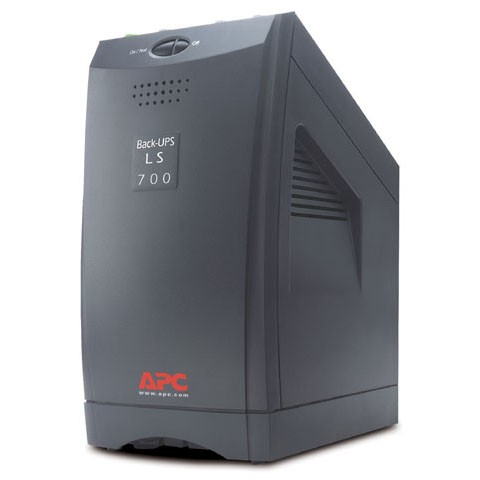
APC Back UPS LS 700 BP700UCAreas connected to a stable power grid do not typically experience frequency variations. Frequency variations normally affect areas using a dedicated power generator. High demand for power worsens the situation. While this common power problem does not affect computer systems, it does have a negative effect on the efficiency of devices dependent on a stable frequency. Similar to voltage fluctuations, frequency variations can also cause lights to flicker.

These frequency variations may make the rotation of the motors faster or slower since they will have to match the frequency of the power input. This will cause the motors to become inefficient. It may also cause the motors to heat up over time and result in the gradual breakdown of the motor. There may be some rare instances when power failure will happen due to frequency variations.

To deal with frequency variations, it is necessary to check all sources of power. After assessing the power sources, it is important to make the necessary repairs or corrections, and, if needed, replace them. It may also be necessary to move sensitive loads to manage this common power problem. The use of an uninterruptible power supply (UPS) system and a power conditioner can reduce the effects of frequency variations.

Filed Under: Tips Tagged With: Common Power Problem, frequency variations, uninterruptible power supply

What are Voltage Fluctuations?

A voltage fluctuation is a regular change in voltage that happen when devices or equipment requiring a higher load are used. The effects of a voltage fluctuation are similar to the effects of an undervoltage. It causes lights to flicker or glow brighter. Display screen may flicker as well.  There are also some instances when electronic equipment, such as a computer, will fail to start up. In addition, voltage fluctuations can cause computer systems to lose data, while televisions or radios may experience interference. This power problem can have a significant effect on the lifespan of incandescent bulbs, since they are designed for a specific voltage.

APC Smart UPS SRT 3000VA 208-230V IECRural areas may experience dramatic voltage fluctuations due to the long power lines. These power lines can cause voltage to go down when power usage in the area is high. When arc furnaces, arc welding equipment or even elevators are used, they normally cause the voltage of a power distribution system to fluctuate. This situation is similar to using a shower in the second floor bathroom of a house. When someone turns on the faucet in the laundry room on the first floor, the second floor shower may run out of water.

Voltage fluctuations can be managed through the use of a voltage regulator. An uninterruptible power supply (UPS) system or power line conditioning devices can also be used in reducing the effects of this common power problem. Another way to deal with voltage fluctuations is by simply removing equipment or devices causing it from the power supply system.


References:

http://northpower.com/network/services/voltage-fluctuations

http://www.apcmedia.com/salestools/VAVR-5WKLPK/VAVR-5WKLPK_R1_EN.pdf?sdirect=true

http://www.on365.co.uk/Power__and__Cooling/Most_Common_Power_Problems.aspx

https://www.linkedin.com/pulse/6-common-power-problems-ted-ochieng-otieno-cem-?forceNoSplash=true

http://electrical-engineering-portal.com/9-most-common-power-quality-problems

http://blog.schneider-electric.com/datacenter/power-and-cooling/2013/05/28/six-types-of-power-disturbances-that-can-trip-up-your-it-systems/

Filed Under: Tips Tagged With: power problems, uninterrupted power supply, uninterruptible power supply, voltage fluctuations

What is a Sag or Undervoltage?

A sag or an undervoltage is a temporary decrease in power lasting up to over a minute. A sag or an undervoltage typically happens whenever heavy machinery is turned on. A great amount of power is used by the heavy machinery during startup, leaving a small amount or power available for other equipment to use.

Voltage sags also happen when the main source of power is affected by natural events like lightning strikes, strong winds and power lines getting hit by falling tree branches. A sag or an undervoltage may affect equipment within 100 miles of the main power grid of a utility company.

APC Line-R 1200VA Automatic Voltage RegulatorDue to this, overheating can occur for some equipment while others may malfunction. Lights may also dim, and batteries may not be charged properly due to an undervoltage situation. An undervoltage or sag may cause a computer to lose data and systems to lock up.

In the past, the term brownout was used to describe this situation. However, its use has been discouraged by an international standards organization, the Institute of Electrical and Electronics Engineers. The term brownout is typically used for situations where the lack of power lasts for a couple of hours.

To handle undervoltages and voltage sags, you can provide heavy machinery their own circuit and avoid connecting them to the circuits used by other equipment. Automatic voltage regulators can also reduce the effects of undervoltage and voltage sags. These devices regulate the level of voltage used by specific equipment and ensure they always receive a suitable amount of power.

An uninterruptible power supply or UPS can also protect equipment from voltage sags. The batteries of these devices provide power for a specific period of time as long as the batteries are not dead. The batteries of a UPS normally last up to around 20 minutes.

References:

http://www.on365.co.uk/Power__and__Cooling/Most_Common_Power_Problems.aspx

https://www.tripplite.com/support/articles/articleid/common-power-problems

http://www.controleng.com/single-article/voltage-sags-and-what-to-do-about-them/0499ada0dfbb1d6747ee2bf3adacd2ee.html

http://www.electricalsolutions.net.au/content/electrical-distribution/article/understanding-the-most-common-power-quality-problems-897329076

http://www.powerqualityworld.com/2011/03/power-quality-basics-undervoltage.html

http://www.hersheyenergy.com/voltage_irregularities.html

Filed Under: Tips Tagged With: power problems, power sag, undervoltage, uninterruptible power supply, ups, ups batteries, voltage regulators

What are Interruptions?

One of the seven main types of power problems is an interruption. An interruption is a total loss of power for a specific, short period of time. The power loss can range from a fraction of a second to over two minutes. Interruptions happen when the electric power grid is damaged by weather disturbances, such as lightning strikes and strong winds, among others.

APC Power Saving Back UPS Pro 700Interruptions are classified according to how long the total power loss lasts. Instantaneous interruptions last for less than a second. Temporary or momentary interruptions can last up to two seconds while interruptions lasting for over two minutes are called sustained interruptions.

While power grids have backup systems to make up for issues leading to power interruptions, there is no such thing as a perfect system. Aside from weather disturbances, interruptions can also be caused by equipment failure. Automatic circuit reclosers can also cause power interruptions. These devices shut off power when the system detects an increase in current due to a short circuit in the system. Cutting off the power protects the whole system from possible damage. The power will be put back on by the recloser after a certain period of time.

Power interruptions can cause data loss, lost revenue and downtime for computer systems. To deal with this power problem, it is necessary to invest on an efficient uninterruptible power supply system as well as a generator. A UPS will allow equipment to continue running even after a complete loss of power is experienced since they provide continuous power supply to the critical equipment. To ensure protection against power interruptions, it is also necessary for the battery of the UPS to be fully functional.

References:

http://www.on365.co.uk/Power__and__Cooling/Most_Common_Power_Problems.aspx

http://www.apcmedia.com/salestools/VAVR-5WKLPK/VAVR-5WKLPK_R1_EN.pdf?sdirect=true

https://www.tripplite.com/support/articles/articleid/common-power-problems

Filed Under: Tips Tagged With: Common Power Problem, Interruption, Interruptions, ups

What is a UPS?

UPS is the acronym for uninterruptible power supply. It is a system that ensures sensitive electronic devices, such as servers and PCs, continue to operate if and when the main power source goes out. A UPS normally provides enough power for a few minutes to allow you to save your work before the computer shuts down.

APC Bac UPS 550 VAA UPS system gives instant protection from power failures through the power stored in its batteries. While it may be possible for a standby generator to automatically start up when a power failure occurs, there is a short delay before the generator provides the power needed to keep your PC running. This is where a UPS system comes in since it provides you enough power while your standby generator is starting up.

It is also important to take note that a UPS system should not be considered as a replacement for a standby generator since it only provides enough power for a few minutes. A UPS system is normally used together with a standby generator in data centers since it fills in the gap in between the interruption of the main power supply and the replacement power provided by the standby generator.

Many UPS systems feature a software component facilitating the automatic backup and shut down of your PC whenever the main power source is interrupted. This feature is useful if you are not close to your computer when a power failure occurs.

The most common type of UPS system used in the market is an online UPS system. It is made up of a charger or rectifier, power inverter, and batteries. The power that passes through the charger and inverter is in the form of alternating current (AC) before it is stored in the batteries as direct current (DC). Whenever the main power source is interrupted, the DC power is converted into AC before it is used to power the devices connected to the UPS system.

References:

http://www.webopedia.com/TERM/U/UPS.html

http://www.businessdictionary.com/definition/uninterruptible-power-supply-UPS.html

http://www.amps.org.uk/what-is-ups-

http://www.wikiforu.com/2012/07/classification-types-of-uninterrupted-power-supply-ups.html

Filed Under: Tips Tagged With: uninterruptible power supply, ups batteries, what is a ups

What are the different types of UPSs?

An uninterruptible power supply or UPS provides temporary backup power in case the main power source goes out. The market currently has three main types of UPS systems. These are the Standby UPS system, the Line Interactive UPS system and the Double Conversion Online UPS system.

Standby UPS System

The Standby UPS system is commonly used for home personal computers. It is the most basic UPS system and is cheaper compared to the other types of UPS systems. It is also normally referred to as an offline UPS. It is made up of a battery, static long switch, low pass filter, and an AC/DC and DC/AC inverter. This system would automatically shift to battery power once the main power source is interrupted.

Line Interactive UPSLine Interactive UPS System

The Line Interactive UPS system is mainly used for small businesses, data centers and servers. The battery and inverter of these systems are continuously connected to its output. These systems feature a voltage regulator that automatically adjusts the voltage of the main power source in low voltage conditions. This is important since UPS systems normally switch to battery mode during low voltage conditions. The Line Interactive UPS system is considered as the most efficient UPS system in the market today.

Double Conversion Online UPS System

Double Conversion Online UPS systems are normally used whenever higher voltage is required. While the design of these systems is similar to a Standby UPS system, the primary power source passes through the inverter before it goes into the devices connected to the system. In this design, there would be no power interruption in case the main power source goes out since it only serves as a backup source. But, it should be noted that since the whole power load is converted by both the inverter and the battery charger, efficiency may be reduced and more heat may be generated.

References:

http://www.upssystems.co.uk/standby-power-products/uninterruptible-power-supplies-ups/ups-technology/

http://www.apc.com/us/en/faqs/FA157448/

http://www.webopedia.com/TERM/U/UPS.html

http://powershield.com.au/what-types-of-ups-uninterruptible-power-supply-are-there/

http://www.howtogeek.com/161479/how-to-select-a-battery-backup-for-your-computer/

Filed Under: Tips

Standby UPS System

A Standby UPS system is the most common type of uninterruptible power supply system in the market today, and is often referred to as an offline UPS system. It is cheaper compared to the other types of UPS systems and is normally used for personal computers.

It is called a standby UPS system since the inverter and the battery do not supply any power unless the main source of power goes out. It essentially remains on a standby mode unless it is needed. The main source of power used by this system comes from a utility or power line. The system has a transfer switch that automatically selects the backup power provided by the battery once the main source of power goes out.apc-backups-es-550va-be550g-lg

When the main power source goes back on again, the same transfer switch would automatically select the utility or power line as its source of power. The battery of the system is charged using the power from the utility or power line when the main source of power is being used.

One issue raised against the use of a standby UPS power system is the time it takes to switch from one power source to another. There may be some instances where the switch is not fast enough to ensure uninterrupted use of a PC system, but this situation rarely happens.

Aside from being cheaper, a standby UPS system is also efficient and does not occupy much space inside a home or office. This system is mainly designed for general consumers or ordinary users and is not normally used for devices with a very critical function, like a server.

References:

http://www.pcguide.com/ref/power/ext/ups/typesStandby-c.html

http://www.apc.com/us/en/faqs/FA157448/

http://www.upssystems.co.uk/standby-power-products/uninterruptible-power-supplies-ups/ups-technology/

http://www.gocsc.com/uploads/white_papers/CDA24729556646388C183D4320810EF7.pdf

Filed Under: Tips Tagged With: apc be550g ups, standby ups

Double Conversion Online UPS System

The third type of uninterruptible power supply system is mainly designed for highly-sensitive equipment. The Double Conversion Online UPS System is the only UPS system with a zero transfer time: the power supply is not interrupted whenever an outage occurs. Due to this, the double conversion online UPS system is best for companies using equipment that is very important and sensitive or areas where the power supply is unpredictable.

It is called a double conversion since it has a second line where power can flow through. The second line is connected to the surge protector of the system, which basically protects it from any sudden increase in power.

The double conversion online UPS system is considered as the best UPS system in the market. Its main difference is that it uses the battery as its main source of power. Power coming from the utility line continuously charges the battery. When the power goes out, it is only the charger that stops functioning and the battery continues to provide power to the equipment until it runs out of charge.surtd3000xlt

But, there may be some rare instances when the inverter of the system fails. The inverter is the component that converts the direct current produced by the battery into alternating current, which is the type of current used by the equipment connected to the system. When this happens, there may be some delay in the transfer of source of power from the battery to the utility line. This is the only instance when the transfer of power from one source to another is not instantaneous, but the transfer time is typically counted in milliseconds (small fraction of a second).

Another concern raised about the double conversion online UPS system is the reduced efficiency and increase in heat. This happens since the power provided to the equipment passes through the battery and inverter. Continued use of these components can result to inefficiency and slight increase in temperature.

References:

http://www.apc.com/us/en/faqs/FA157448/

http://qpsolutions.net/2015/06/line-interactive-vs-double-conversion-ups-which-ones-best/

http://www.gocsc.com/uploads/white_papers/CDA24729556646388C183D4320810EF7.pdf

http://www.eetimes.com/document.asp?doc_id=1272971

http://www.pcguide.com/ref/power/ext/ups/typesOnLine-c.html

Filed Under: Tips Tagged With: double conversion online ups, ups system

  • 1
  • 2
  • 3
  • Next Page »