APC UPS Blog - ExcessUPS.com

  • Blog
  • Guides
  • Technical
  • Tips
  • Rants

What is an internally “Modular” Redundant UPS Configuration?

Businesses are starting to see the importance of ensuring their uninterruptible power supply devices have a back up to protect important information. As the use of N+1 configuration for a UPS system starts to increase, it is become important for businesses to select the best one suitable for their needs. Aside from the isolated redundant configuration and parallel redundant configuration, businesses also have the option to use an internally “modular” redundant configuration for their UPS system.

An internally modular redundant configuration or setup uses only one battery for all its UPS modules. If any of the modules fail to operate properly, the other modules will act as backup. This will ensure t3-apc-smart-ups-srt-5000va-with-208-240vhe equipment connected to the system will continue to receive power. This setup is the most basic type of N+1 UPS configuration. Aside from using just one battery, all of the UPS modules also share one output.

In this configuration, the load is shared by all of the modules up. The capacity of this set up can be increased with the addition of more modules. But, one major disadvantage of this configuration is the single battery it uses. If the battery fails to work, the system may not be able to provide the necessary power during an outage. The battery may not function properly once it reaches its shelf life.

An internally modular redundant configuration for a UPS system is an efficient way of protecting critical equipment of businesses. It can be easily configured to allow it to run close to its capacity. In this situation, a UPS system typically runs efficiently.
References:


http://www.schneider-electric.com/ww/en/download/document/APC_VAVR-A84MRT_EN?_downloadcenter_WAR_downloadcenterRFportlet_documentId=4015192344

http://www.apc.com/salestools/SADE-5TPL8X/SADE-5TPL8X_R3_EN.pdf

http://www.schneider-bgclub.com/catalog/1_Aparatura_NN/4.UPS/Katalozi/Design%20guide%20UPS.pdf

http://whatis.techtarget.com/definition/N1-UPS

http://searchdatacenter.techtarget.com/answer/Weighing-centralized-versus-modular-UPS-in-the-data-center

Filed Under: Tips Tagged With: Configuration, Internally Modular Configuration, ups

What is a Parallel Redundant N+1 UPS Configuration?

Whenever a power outage happens, an uninterruptible power supply (UPS) can be quite handy. They allow businesses to shut down their main computer servers during a power outage to save any important information. Since there may be instances when the UPS may not function properly, a backup system or an N+1 configuration is normally used to deal with these situations. The parallel redundant configuration is one of these N+1 configurations that these businesses may use.

2-apc-smart-ups-srt-5000va-rmThe parallel redundant configuration is made up of at least two UPS devices connected to the equipment. Power goes through the UPS devices before it reaches the equipment. Power going into the equipment goes through at least two different UPS devices. When the main power source goes out, the battery on the UPS provides power to the equipment.

If one of the UPS devices does not work properly, the backup UPS will provide the necessary power to the equipment. The backup UPS in this configuration is always ready in providing power to important equipment since its battery is always charged. This setup can be expanded easily as the power needs of the equipment increases. Setting up the system is also easy and cost-effective.

While this setup has a number of advantages over an isolated redundant configuration, it also has some disadvantages. One of these disadvantages is the need to use the same model and brand of UPS. The UPS devices are also connected at a single point to the power source and equipment. In this situation, if this single point fails, the whole system will fail.

It is important to select the most suitable redundant UPS configuration to ensure all important equipment are protected at all times in case of power outages.


References:

http://www.schneider-electric.com/ww/en/download/document/APC_VAVR-A84MRT_EN?_downloadcenter_WAR_downloadcenterRFportlet_documentId=4015192344

http://www.apc.com/salestools/SADE-5TPL8X/SADE-5TPL8X_R3_EN.pdf

http://www.schneider-bgclub.com/catalog/1_Aparatura_NN/4.UPS/Katalozi/Design%20guide%20UPS.pdf

Filed Under: Tips Tagged With: N+1 UPS, Parallel Redundant Configuration, ups

What is an Isolated Redundant N+1 UPS Configuration?

There may be some times when an uninterruptible power system may not work properly during a power outage. Due to this, some businesses set up a redundancy system to ensure continuous power to equipment critical for their operations. There are a number of N+1 UPS configurations to ensure there is always a backup to the main UPS used by a business. One of these configurations is the isolated redundant configuration.

1-apc-smart-ups-srt-5000va

An isolated redundant N+1 UPS configuration ensures continuous power for important equipment during a power outage. The first UPS device connects the equipment with the main source of power. On the other hand, the second UPS device is connected to the main power source and isolation module of the first UPS.

Power normally passes through the main UPS before going into the equipment. If the main UPS does not work properly during an outage, power goes through the backup UPS and through the isolation module before going into the equipment.

The isolated redundant N+1 UPS configuration is adaptable and allows two different UPS models or brands to be used. It is also an effective way of ensuring equipment always receive power. But, this configuration has a higher operating cost since the backup UPS continues to use power even though it is not carrying any load.

It is necessary to ensure the secondary or standby UPS is capable of handling the load in case the main UPS does not work properly. Due to this, it is essential to make sure to get a suitable UPS device to use in this particular N+1 UPS configuration. One reason why a UPS may not function properly is the need to replace the battery since it may have reached its shelf life.


References:

http://www.schneider-electric.com/ww/en/download/document/APC_VAVR-A84MRT_EN?_downloadcenter_WAR_downloadcenterRFportlet_documentId=4015192344

http://www.apc.com/salestools/SADE-5TPL8X/SADE-5TPL8X_R3_EN.pdf

http://www.schneider-bgclub.com/catalog/1_Aparatura_NN/4.UPS/Katalozi/Design%20guide%20UPS.pdf
Filed Under: Guides Tagged With: Isolated Redundant Configuration, N+1 UPS, ups

What are the Main Types N+1 UPS Configurations?

The N+1 UPS configuration is mainly designed for computer servers used in businesses. This configuration ensures a backup UPS is available in case the primary UPS fails to function properly during a power outage. The three main types of N+1 configuration are as follows:

Isolated Redundant Configuration

While an isolated redundant configuration is considered as an N+1 system, it does not have a paralleling bus and the UPS modules may have different capacities. Power goes through primary UPS device in this setup while the secondary or the isolation UPS is connected to the main UPS to act as backup in case the primary UPS does not work. When the main UPS fails to function properly, the secondary of isolation UPS devices takes over and provides backup power when the main source of power goes out.

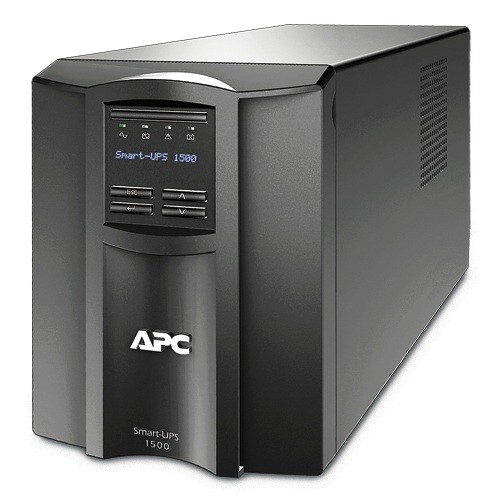
3-apc-smart-ups-1500va-lcd-120v-smt1500Parallel Redundant Configuration

The parallel redundant configuration features UPS devices positioned parallel to each other. The UPS devices in this configuration should have the same capacity and share an output bus. In addition, it is advisable to have UPS devices with the same brand for this configuration. When one UPS device in this configuration does work as it should, power will be transferred to the other UPS devices.

Internally “Modular” Redundant Configuration

An internally “modular” redundant configuration features a battery that is connected to each UPS device. This configuration features a battery system connected to all UPS devices. The UPS devices are connected to a common output bus. When one UPS device in this setup does not work properly, the other UPS devices ensure the battery system continues to function. But, the entire system may be affected if the battery needs to be replaced in this configuration.


References:

http://www.schneider-electric.com/ww/en/download/document/APC_VAVR-A84MRT_EN?_downloadcenter_WAR_downloadcenterRFportlet_documentId=4015192344

http://www.apc.com/salestools/SADE-5TPL8X/SADE-5TPL8X_R3_EN.pdf

http://www.schneider-bgclub.com/catalog/1_Aparatura_NN/4.UPS/Katalozi/Design%20guide%20UPS.pdf

Filed Under: Technical Tagged With: Configuration, N+1 UPS, ups

What is an N+1 UPS Configuration?

An uninterruptible power supply (UPS) is mainly used to ensure computers continue to function when the main source of power goes out. A UPS allows users to shut down computer properly to ensure critical information is protected. These devices are also essential for computer servers, especially those used for businesses.

2-apc-smart-ups-1000va-lcd-120v-smt1000But, there may be instances when the UPS may fail due to a number of reasons, including the battery exceeding its shelf life or the need to update the firmware. In these instances, it is advisable to have an N+1 UPS configuration or a parallel redundancy configuration. In this configuration, there is always another UPS module used as a backup in case the main UPS module fails to function. The N stands for a UPS module while +1 stands for an additional or spare UPS module. Due to this, an N+1 UPS configuration has at least two UPS modules connected to a device. For computer servers requiring six UPS modules, an N+1 UPS configuration means the system will have a total of seven UPS devices for use. The UPS devices are integrated into a single UPS system.

The load is shared equally by all UPS modules connected to the computer server during normal operations. When one of the modules fails after the main source of power goes out, the remaining modules can provide suitable power to the system. This configuration also ensures the protection of computer servers while one of the UPS devices is under maintenance.

While an N+1 UPS configuration may increase equipment costs due to the additional UPS module used, it also enhances reliability and avoids unnecessary downtime for computer servers.

References:

http://whatis.techtarget.com/definition/N1-UPS

http://www.schneider-electric.com/ww/en/download/document/APC_VAVR-A84MRT_EN?_downloadcenter_WAR_downloadcenterRFportlet_documentId=4015192344

http://www.computerweekly.com/tip/Five-tips-for-N1-uninterruptible-power-supply-UPS-design

https://en.wikipedia.org/wiki/N%2B1_redundancy

http://www.datacenterjournal.com/which-ups-configuration-is-right-for-you/


Filed Under: Guides Tagged With: N+1 Configuration, ups

What To Do When The UPS Battery Voltage Exceeds Nominal Battery Voltage

An uninterruptible power supply (UPS) system provides temporary power to critical devices when the main source of power goes out. The battery of the UPS provides this temporary power, which is enough to allow users to save important files and shut down their devices properly.

3-apc-smart-ups-1000va-lcdThe UPS typically charges the battery when the main power source comes back.

But, there may be some rare instances when the UPS would give out a notice showing the battery voltage exceeds the battery voltage rating. The issue may be due to a defective battery, which will require the replacement of the battery. It may also be that the unit is defective, which means it should be sent back to the manufacturer if it is still under warranty. Another possible reason for the warning to come is a glitch in the system.

To check the reason behind the issue, it is necessary to perform a self-test on the unit. If no issues are noted after the self-test, the next thing to do is to reboot the UPS using the Brain Dead procedure.

The Brain Dead procedure in rebooting a UPS is a reset of the microprocessor without resetting any preferences saved by the user. The Brain Dead procedure depends on the type of UPS involved:

For SU, SUM, SUA and SURT unit, it will be necessary to turn off and unplug the unit. The OFF button should be pressed and held until the LEDs emit a flash and a click can be heard from the UPS. After this, the UPS can be plugged into an outlet and turned on.

For SMX, SMC and SMT units, the UPS is turned off and unplugged before the battery is disconnected. At this point a click should be heard before the battery is reconnected. The UPS can be plugged into an outlet and turned on.


References:

http://forums.apc.com/spaces/5/smart-ups-symmetra-lx-rm/forums/general/13056/smart-ups-rt-3000-xl-ups-the-battery-voltage-exceeds-the-nominal-battery-voltage-rating

http://www.schneider-electric.us/en/faqs/FA156611/

http://forums.apc.com/spaces/5/smart-ups-symmetra-lx-rm/forums/general/7234/critical-ups-the-battery-voltage-exceeds-the-nominal-battery-voltage-rat

Filed Under: Guides Tagged With: Battery Voltage, Nominal Voltage, ups

How to Replace an APC Back-UPS Pro Battery

When the “replace the battery” light on an uninterruptible power supply (UPS) comes on, it may be necessary to replace the battery. The following shows the procedure to follow in replacing the battery of the newer models of the APC Back-UPS Pro, including the BR 1500G:
1. Lay down the APC Back-UPS Pro with its battery compartment facing the user.
2. Press the release tabs before sliding up the battery cover.
3. Remove the expired battery from the UPS by pulling at the tabs.
4. Insert the new battery into the APC Back-UPS Pro while making sure the green sticker is facing upwards.
5. Slide down the cover until the release tab is locked.

1-br-1500gThe preceding procedure is applicable to the newer models of the APC Back-UPS Pro since the older models use a different method. This is mainly due to the location of the battery in these models. These batteries of these older models are located in the front part of the UPS.

The following is the procedure used in replacing the battery of the older models of the APC Back-UPS Pro, including the BR1500.

1. Slide down the battery cover before removing it.
2. Unhook the battery connector piece from the connector of the UPS.
3. Slide the old battery from the UPS.
4. Insert the replacement battery into the UPS before connecting it.
5. Slide the battery cover of the UPS until it locks into place.

It is not advisable to disassemble the equipment since it has potentially dangerous voltages. The only component to be removed is the battery. The battery contains lead that can be hazardous to health and the environment. Due to this, it is important to return it to an authorized service center for proper disposal or recycling. It is also important to avoid opening the battery since it contains a toxic electrolyte that is harmful to the eyes and skin.

The following video shows how to replace the battery of new and old models of the APC Back-UPS Pro.

References:

http://www.apc.com/us/en/faqs/FA158825/

http://agsci.psu.edu/it/how-to/county-servers-apc-ups-battery-replacement

http://www.schneider-electric.us/en/faqs/FA158827/

Filed Under: Tips Tagged With: Battery, ups, UPS Battery

UPS Does Not Work During An Outage

An uninterruptible power supply (UPS) is used to provide critical devices suitable power for a few minutes when the main source of power goes out. This allows users to save important files and shut down their devices properly.

2-apc-smart-ups-srt-5000vaThere may be instances when the UPS will work when it is unplugged but will not work during an actual outage. Aside from ensuring that the devices are connected to the battery backup outlet (and not a surge-only outlet), it is also important to check if the red overload indicator is continuously illuminated. In this situation, the devices are drawing more power than what the UPS can handle. You may need to disconnect non-essential devices from the UPS. It is also advisable to check the battery if it is still working properly. If the battery is not working properly, it will be essential to replace it with a new one.

On the other hand, when the red overload indicator is flashing it may be that the UPS is faulty. It will be necessary to contact the manufacturer if the UPS is still under warranty to get a replacement unit.

Filed Under: Tips Tagged With: Battery, overload, ups

Should You Plug Your UPS into a Power Strip?

An uninterruptible power supply (UPS) device is used to ensure electronic devices have a few minutes of power when the main supply of power goes out. This ensures all the necessary critical files are saved. Some UPS devices also feature a surge protector to prevent sudden power spikes from affecting devices connected to it.

Some users connect a UPS to a power strip since the location of the electronic devices is far from the power outlet. This is not advisable since it may cause the UPS to remain on battery power while it is being used. This will happen since the equipment will draw more power from the UPS, compelling it to remain online all the time. Due to this, the battery will be worn out faster since it will be used most of the time while the UPS is connected to a power strip.

APC Back UPS LS 700 BP700UCA power strip may also increase the current flowing into the UPS, which can potentially increase the chances of a power spike. The risk of a power spike will increase if the UPS is daisy-chained using a number of power strips.

Connecting the UPS to a power strip will also void the Equipment Protection Policy (EPP). The EPP is a guarantee that the manufacture will pay for the repair of any equipment connected to the UPS if they are damaged due to power line issues. The manufacturer will also replace the UPS if it is damaged by these issues.

In the end, it is important to plug a UPS directly to power source to prevent any issues that will put all electronic devices connected to it at risk.


References:

http://www.apc.com/us/en/faqs/FA158852/

https://forums.anandtech.com/threads/is-it-safe-to-use-power-strip-or-surge-protector-attached-to-a-ups.258005/

http://www.geek.com/xyzcomputing/daisy-chain-your-ups-571188/

http://www.apc.com/ca/en/support/product-support/registration-warranty-services.jsp

http://www.apcmedia.com/salestools/ASTE-6Z7UYR/ASTE-6Z7UYR_R0_EN.pdf?sdirect=true

Filed Under: Technical Tagged With: Power Strip, ups

What are waveform distortions?

Waveform distortions are common power problems that cause equipment to malfunction and sources of power to overload. It is an unexpected change in the waveforms of current and voltage as they pass through a device. There are five main types of waveform distortions: DC offset, harmonics, interharmonics, notching and noise.

DC offsets are instances where direct current (DC) overlaps an alternating current (AC) distribution system. This overlapping of two different types of current can cause overheating in the equipment.

Harmonics occur when some loads affect the main waveform of voltage. In this situation, the new loads prevent the waveform from reaching its highest and lowest levels. Harmonics can cause circuit breakers to trip and transformers to overheat.

APC Smart UPS SRT Step-down Transformer

Interharmonics is a condition where a signal affects the main voltage waveform. It can cause display monitors to flicker and equipment to overheat. Interharmonics can also cause communication issues.

Notching is an intermittent disturbance that can affect voltage. It normally happens when light dimmers or arc welders are being used. It results in data loss and issues with the transmission of data.

Noise is any unnecessary current or voltage affecting the waveform of the main power supply. This waveform distortion can cause data issues and equipment to malfunction.

The effects of waveform distortion can be reduced through the use of an uninterruptible power supply (UPS) and filter equipment. Line conditioners can also be used to minimize the effect of this power problem. Reducing the load used on a transformer can also help reduce waveform distortion. Relocating equipment causing this common power problem can also help prevent it from happening.


References:

http://ecmweb.com/content/voltage-waveform-distortion-causes-effects-cures

http://www.dictionaryofengineering.com/definition/waveform-distortion.html

http://www.apcmedia.com/salestools/VAVR-5WKLPK/VAVR-5WKLPK_R1_EN.pdf?sdirect=true

https://www.tripplite.com/shared/literature/White-Paper/Common-Power-Problems-and-Power-Protection-Solutions-White-Paper-EN.pdf

https://www.linkedin.com/pulse/6-common-power-problems-ted-ochieng-otieno-cem-?forceNoSplash=truehttps://www.captech.com.au/2016/05/06/common-issues-with-power-supply/


Filed Under: Technical Tagged With: dc offset, harmonics, interharmonics, noise, notching, power problems, uninterrupted power supply, uninterruptible power supply, ups

What are Swells and Overvoltages?

Swells and overvoltages are basically the opposite of sags and undervoltages. A swell is an increase in voltage lasting up to one minute, and an overvoltage is the long-term effect of a swell. These situations happen when available voltage is higher than the demand. It normally starts when there is a huge demand for power. Due to this, utility companies normally increase voltage to meet the demand. When the demand goes down rapidly, there is the possibility that the voltage will remain high causing the swell or overvoltage.

APC SMART UPS RT - UPS On-LineThese power problems normally affect rural areas since utility companies usually leave voltage at a high level over the weekend even after the demand has gone down. These situations also happen when the system voltage regulator is inefficient, or when the transformer settings are not set properly by the power company.

Even when overvoltages are brief, they can be damaging to equipment. These power problems can cause equipment to overheat and damage them. They may also cause lights and monitors to flicker. Data centers are susceptible to these situations since they may cause data errors in computer systems. Semiconductors may also be damaged by overvoltages and swells.

To prevent swells and overvoltages from affecting sensitive equipment, it is necessary to use an uninterruptible power supply or UPS system. While the most basic protection against this power problem is a standby UPS system, the best way to protect equipment from a swell or overvoltage is by using an online UPS. These devices protect equipment from sudden increases in voltage. They automatically adjust voltage in case these power problems occur to ensure electricity-powered equipment are protected.

Sources:

http://www.on365.co.uk/Power__and__Cooling/Most_Common_Power_Problems.aspx

http://www.apcmedia.com/salestools/VAVR-5WKLPK/VAVR-5WKLPK_R1_EN.pdf?sdirect=true

https://www.linkedin.com/pulse/6-common-power-problems-ted-ochieng-otieno-cem-?forceNoSplash=true

https://www.tripplite.com/support/articles/articleid/common-power-problems

http://www.acousticfrontiers.com/201348what-are-swells-and-overvoltages/

http://electricity2all.blogspot.com/2013/05/over-voltage-and-voltage-swell.html

Filed Under: Technical Tagged With: Common Power Problem, overvoltage, swell, uninterruptible power supply, ups, voltage regulator

What is a Sag or Undervoltage?

A sag or an undervoltage is a temporary decrease in power lasting up to over a minute. A sag or an undervoltage typically happens whenever heavy machinery is turned on. A great amount of power is used by the heavy machinery during startup, leaving a small amount or power available for other equipment to use.

Voltage sags also happen when the main source of power is affected by natural events like lightning strikes, strong winds and power lines getting hit by falling tree branches. A sag or an undervoltage may affect equipment within 100 miles of the main power grid of a utility company.

APC Line-R 1200VA Automatic Voltage RegulatorDue to this, overheating can occur for some equipment while others may malfunction. Lights may also dim, and batteries may not be charged properly due to an undervoltage situation. An undervoltage or sag may cause a computer to lose data and systems to lock up.

In the past, the term brownout was used to describe this situation. However, its use has been discouraged by an international standards organization, the Institute of Electrical and Electronics Engineers. The term brownout is typically used for situations where the lack of power lasts for a couple of hours.

To handle undervoltages and voltage sags, you can provide heavy machinery their own circuit and avoid connecting them to the circuits used by other equipment. Automatic voltage regulators can also reduce the effects of undervoltage and voltage sags. These devices regulate the level of voltage used by specific equipment and ensure they always receive a suitable amount of power.

An uninterruptible power supply or UPS can also protect equipment from voltage sags. The batteries of these devices provide power for a specific period of time as long as the batteries are not dead. The batteries of a UPS normally last up to around 20 minutes.

References:

http://www.on365.co.uk/Power__and__Cooling/Most_Common_Power_Problems.aspx

https://www.tripplite.com/support/articles/articleid/common-power-problems

http://www.controleng.com/single-article/voltage-sags-and-what-to-do-about-them/0499ada0dfbb1d6747ee2bf3adacd2ee.html

http://www.electricalsolutions.net.au/content/electrical-distribution/article/understanding-the-most-common-power-quality-problems-897329076

http://www.powerqualityworld.com/2011/03/power-quality-basics-undervoltage.html

http://www.hersheyenergy.com/voltage_irregularities.html

Filed Under: Tips Tagged With: power problems, power sag, undervoltage, uninterruptible power supply, ups, ups batteries, voltage regulators

What are Interruptions?

One of the seven main types of power problems is an interruption. An interruption is a total loss of power for a specific, short period of time. The power loss can range from a fraction of a second to over two minutes. Interruptions happen when the electric power grid is damaged by weather disturbances, such as lightning strikes and strong winds, among others.

APC Power Saving Back UPS Pro 700Interruptions are classified according to how long the total power loss lasts. Instantaneous interruptions last for less than a second. Temporary or momentary interruptions can last up to two seconds while interruptions lasting for over two minutes are called sustained interruptions.

While power grids have backup systems to make up for issues leading to power interruptions, there is no such thing as a perfect system. Aside from weather disturbances, interruptions can also be caused by equipment failure. Automatic circuit reclosers can also cause power interruptions. These devices shut off power when the system detects an increase in current due to a short circuit in the system. Cutting off the power protects the whole system from possible damage. The power will be put back on by the recloser after a certain period of time.

Power interruptions can cause data loss, lost revenue and downtime for computer systems. To deal with this power problem, it is necessary to invest on an efficient uninterruptible power supply system as well as a generator. A UPS will allow equipment to continue running even after a complete loss of power is experienced since they provide continuous power supply to the critical equipment. To ensure protection against power interruptions, it is also necessary for the battery of the UPS to be fully functional.

References:

http://www.on365.co.uk/Power__and__Cooling/Most_Common_Power_Problems.aspx

http://www.apcmedia.com/salestools/VAVR-5WKLPK/VAVR-5WKLPK_R1_EN.pdf?sdirect=true

https://www.tripplite.com/support/articles/articleid/common-power-problems

Filed Under: Tips Tagged With: Common Power Problem, Interruption, Interruptions, ups

What is an Uninterruptible Power Supply?

Join us as we discuss the basics of power back ups over the next few posts.  We’re going to keep these posts short and simple.  Please leave questions in the comments.

What is an Uninterruptible Power Supply?


uninterruptible power supply

An uninterruptible power supply, also known as a UPS, battery backup or power back up is a device that provides power to attached equipment when the utility power goes out. The main idea of a UPS is to provide instant power without interruption to the attached devices. That way, the computer or server attached will not lose power but will continue running uninterrupted.

Common Names for Uninterruptible Power Supplies:

–          Uninterruptible Power Supply

–          Uninterrupted Power Supply

–          Battery Backup

–          Power Backup

–          UPS Backup

–          UPS

All of the above terminology basically means the same thing. So if you want be part of the cool club, call it a “UPS”.  How do you pronounce that? That’s a great question, it’s pronounced like the shipping company, “UPS”.  It’s not pronounced like the “UPS” in the diapers “Pull Ups”.

What are Uninterruptible Power Supplies used for?

–          Computers

–          Servers

–          Data centers

–          Telecom equipment (voip, pbx, phone system)

–          Medical Equipment

–          POS Equipment (cash registers, debit machines)

–          ATM, ABM

and every other piece of equipment that can be harmed or cause harm by suddenly losing power. You might not have noticed them before, but they’re pretty much everywhere. Your local bank has them, the grocery store and your internet service provider.

In the next few posts, we are going to discuss:

  • Different types of UPSs
  • Main Features
  • Power Problems

If you have any questions please post them in the comments or post them up on our Q&A Site

Filed Under: Guides Tagged With: battery backup, power backup, uninterrupted power supply, uninterruptible power supply, ups