The batteries inside of a UPS discharge during storage. There are several factors that affect the discharge rate including temperature in storage and battery rating. Also, the type of UPS and the method of storage will affect the discharge rate. Take a look at these interesting figures of discharge rates.
Keep in mind that the type of batteries used in a UPS have a “self discharge” characteristic. In 20° Celsius (68° Fahrenheit) temperature, the battery naturally loses 3% per month. After 6-9 months, the battery could become completely discharge and not usable.
Also, with some series of UPSs, it’s best to make sure the battery is totally unplugged during storage, this will reduce the discharge rate to the natural self discharge rate.
Back-UPS, Back-UPS Pro and the rest of the Back-UPS family:
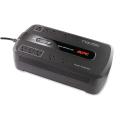
– when they’re powered off, it’s the same 3%, the natural discharge rate
APC Smart-UPS series
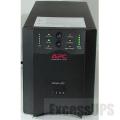
– if the battery is disconnected with the “battery disconnect” at the back of the UPS, the discharge rate is the same as the natural discharge rate (3% per month)
– if the battery is physically disconnected (by disconnecting the battery from the UPS inside the battery bay), the rate is the same as the natural discharge rate (3% per month)
– if the UPS is turned off from the front control panel, then the discharge rate rises to 5%. The extra power goes to keep the microprocessor in the UPS powered
Smart-UPS RT (1-10KVA)
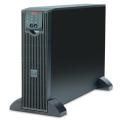
– batteries should be disconnected as soon as possible
– batteries can discharge below start up voltage (85vDC) within 72 hours
– if batteries are physically disconnected, the discharge rate will be the natural discharge rate, can still fall below the the minimum required start up voltage
Smart-UPS RT (20KVA)
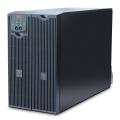
– batteries should be disconnected if going into storage or if power is out for an extended period of time. This will reduce the discharge rate
– the 20KVA RT’s can charge the batteries while in by pass mode, so if the UPS is operating in by-pass, it’s ok to leave the batteries connected, they’re being charged and maintained anyway
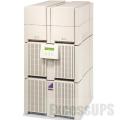
– if disconnected by the rear switch, the discharge rate is slightly higher than natural, around 5%. The extra power goes to the bleeder circuits which are required to discharge the large capacitors and keep service folk from getting hurt.
– if the Matrix UPS is turned off from the front control panel, the discharge rate jumps to 7% a month. The extra power goes to the microprocessor that keeps the settings
– if storing for an extended period of time, disconnect the battery packs from the Matrix completely. This should reduce the discharge rate to the minimum
Symmetra UPSs

– anytime the power is off or bypass for over 24 hours, disconnect the battery modules (SYBT2, SYBT5, SYBATT)
– battery modules can quickly discharge below the needed start up voltage (90vdc)
Please note:
– UPS batteries batteries don’t like the heat. The hotter the temperature in the room, the higher the discharge rate rises
– at 30° Celsius (89.6° Fahrenheit) ups batteries discharge at 3% a month, at 40° Celsius (104° Fahrenheit), they discharge at 10% per month

– if room temperature is 30° Celsius (89.6° Fahrenheit), charge at least once every 6 months to maintain battery life
– if temperature is hotter, charge the batteries every two to three months to make sure you get the longest life possible